


Dscout now works inside the AI tools your team already uses—like Claude, Codex, and Figma Make—so you can draft, launch, and analyze studies without breaking your stride.
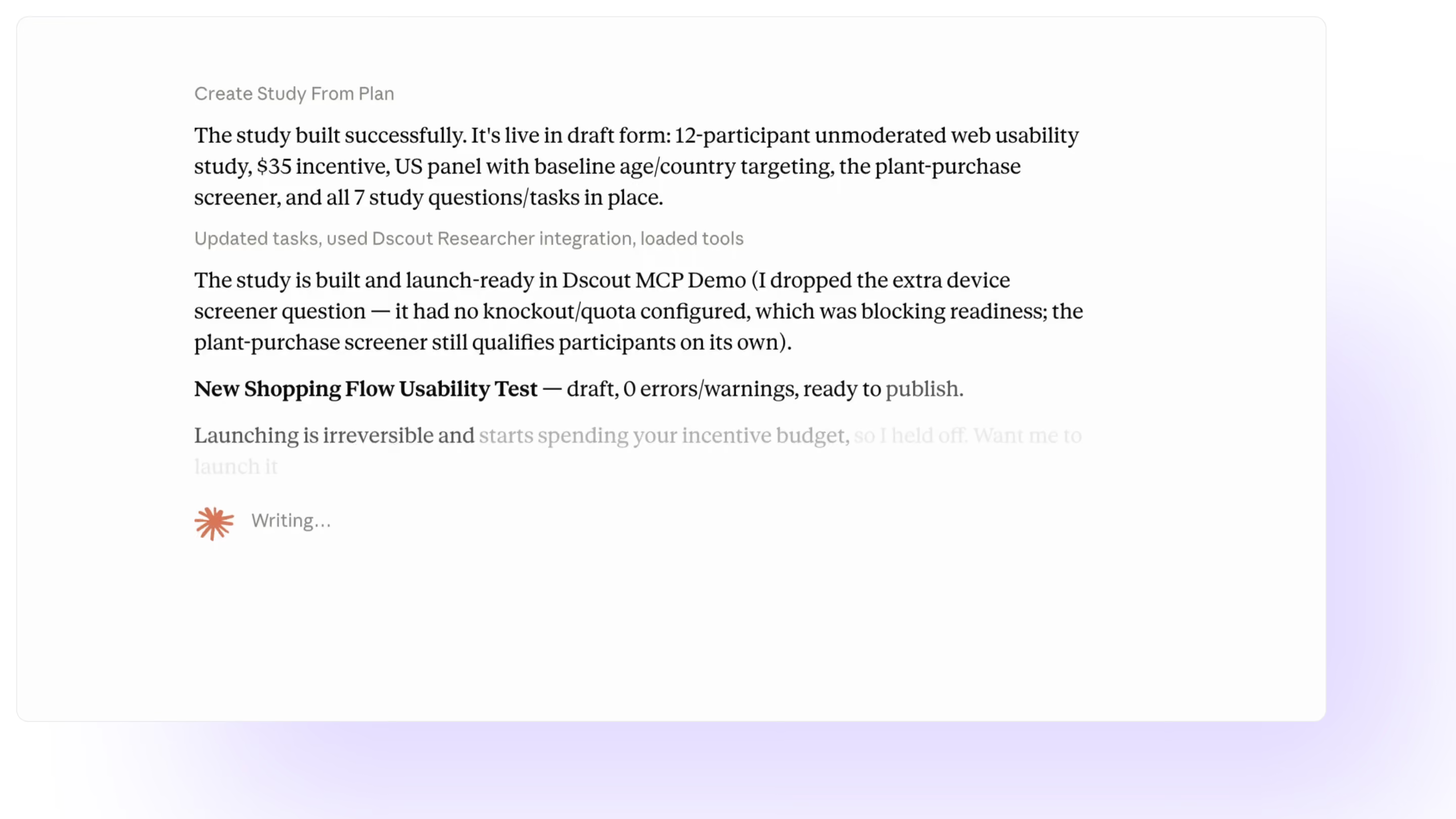
Tell your AI agent what you want to learn, and let it draft the study, launch it, and pull findings back—all without you jumping into the Dscout interface. Plus, Standard and Smart templates make it even faster for recurring studies.
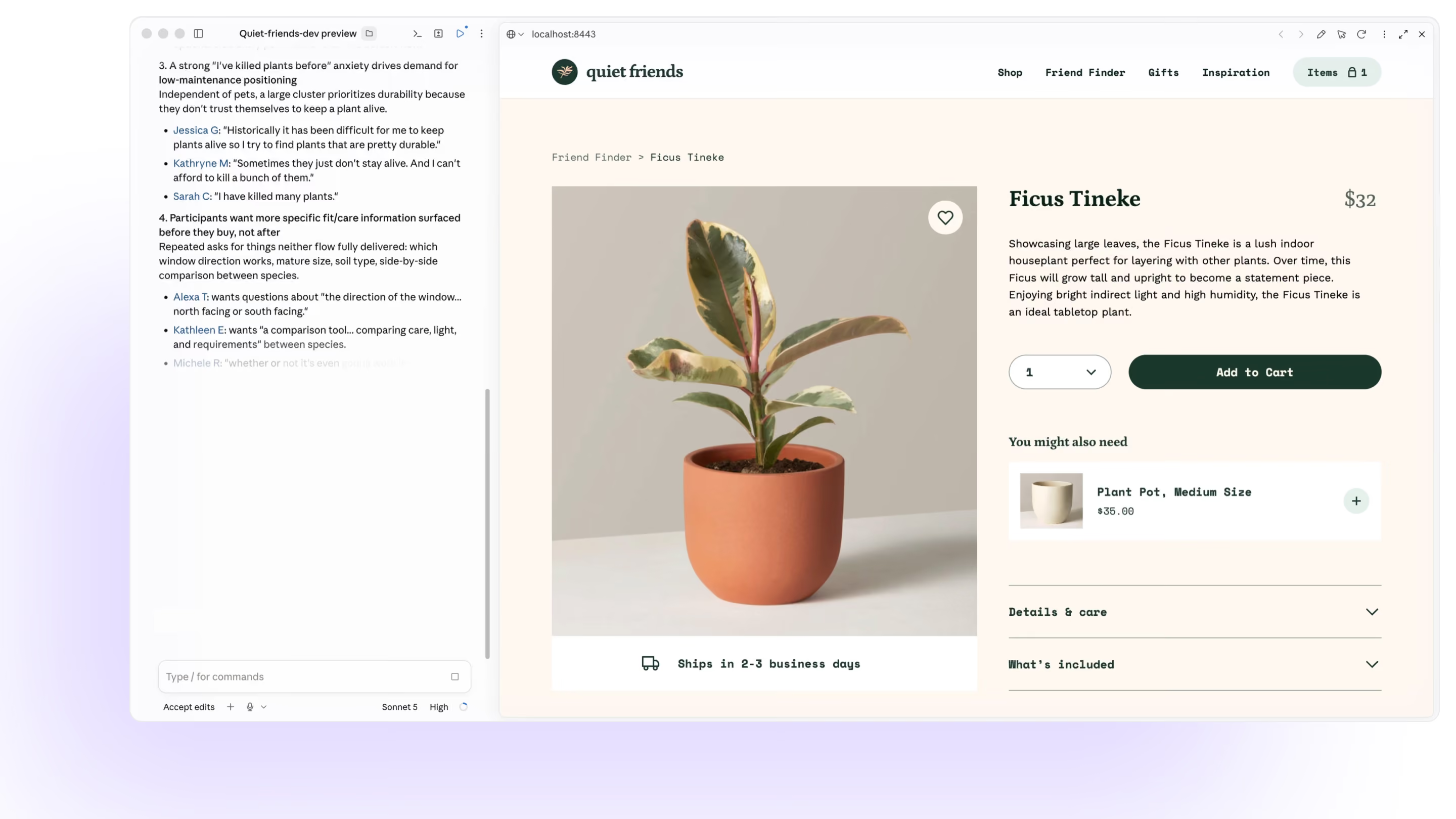
A designer in Figma Make can draft a usability test, launch it, and pull insights without leaving their canvas. A researcher in Claude can tie a study directly to open tickets and meeting notes. Dscout MCP fits any research workflow.
Most research MCPs can only read your data. Dscout can draft, launch, and analyze—giving your team real findings on things you might have skipped testing before. All within your existing permissions, and without leaving your workflow.
Move from setup to synthesis without leaving your AI workflow. Recruit participants, build studies, summarize results, find patterns, and turn insights into shareable outputs.

Set targeting attributes, incentives, and screener questions. Then, choose how you recruit: auto-recruit, pull from a screener, or bring your own—all via the Dscout MCP.

Design and build a Dscout usability study right in your AI workflow. Define recruitment criteria, provide testable prototypes or concepts, and draft a launch-ready study. Plus you can use pre-built templates to work even faster.

Need a quick rundown of results from a recent study? Get a high-level summary of key takeaways or action items based on real participant responses, all without opening the Dscout platform.

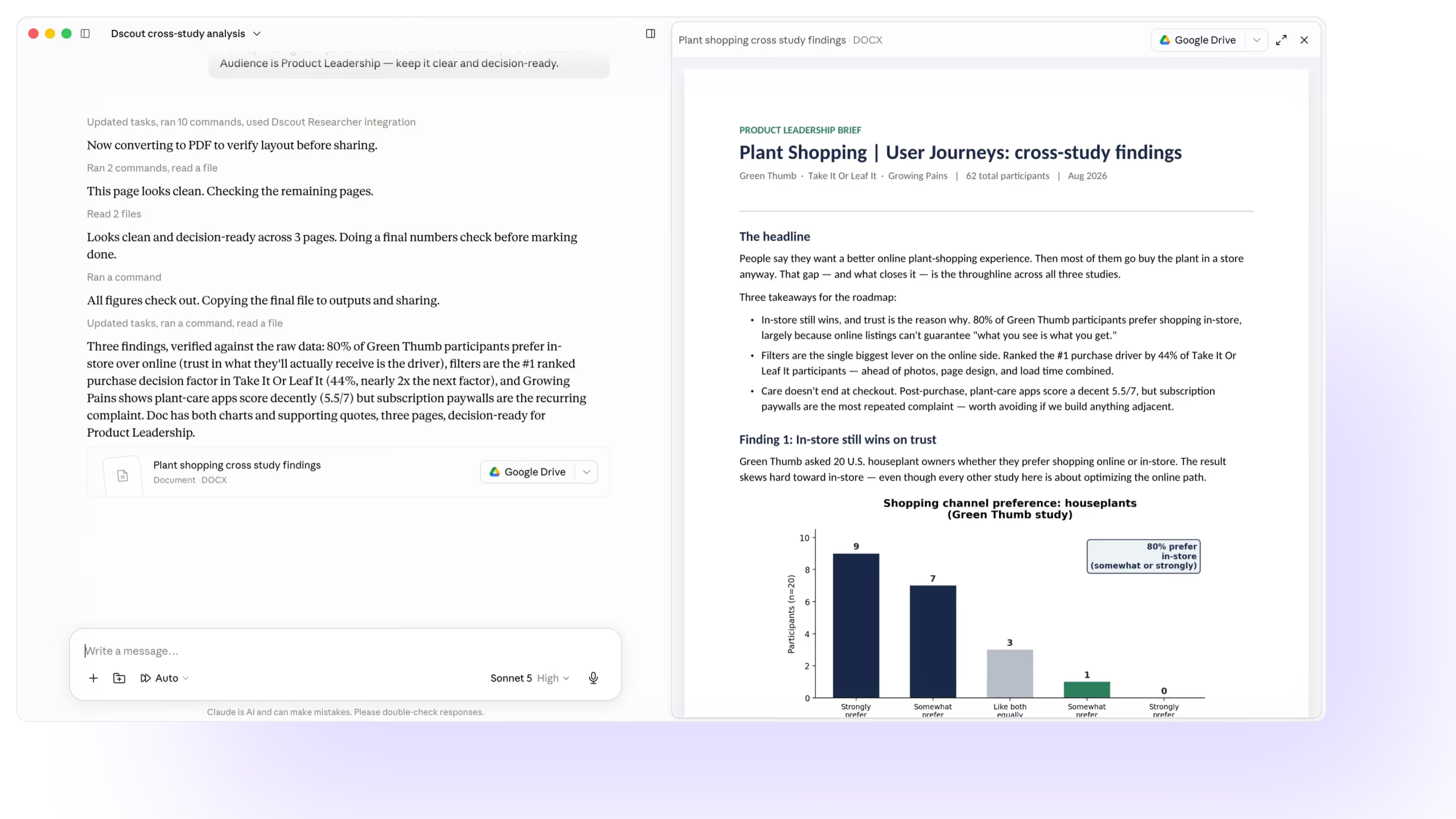
Compare responses from multiple Dscout studies at once. Tell the MCP which studies to analyze, then start asking questions.

Turn your study results into visuals or shareable PDFs, right from the AI tools you're already using.

Users with Admin permissions on Dscout can use the MCP to get information about users, projects, Activity Credit usage, and incentive balances.
